Configuring a USB to Serial Converter
Last update - 9/14/2004
Some of the newer laptops of the past couple of years no longer have
traditional RS232 serial ports, however the CROPSCAN MSR
System can still be operated or connected to these laptops by use of a
USB to Serial converter. Various brands of USB to Serial converters are
available at most computer stores or from numerous computer related
websites by mail order.
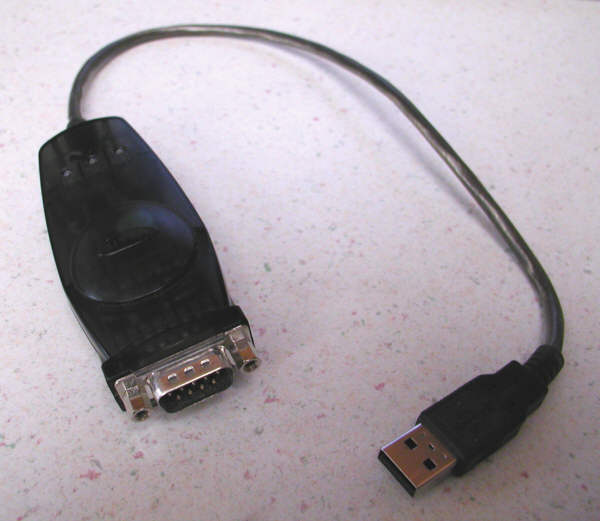
| A Belkin USB to Serial Converter: |
|---|
 |
|---|
In most cases, USB to Serial converter installation software
will install a Windows driver configured for COM3 or COM4
serial port use. The MSR Software is designed to work with
COM1 or COM2 serial port numbers.
The Windows driver for the USB to Serial converter can be
easily changed back to COM1 or COM2 by doing the following:
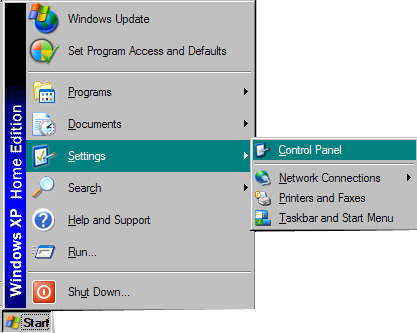
- Click Start on your computer. Move the mouse pointer to
Settings. The following should appear:
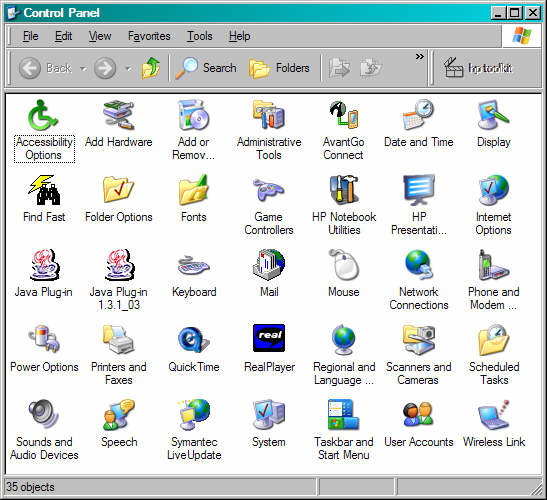
- Click on Control Panel. Something similar to the following
should appear:
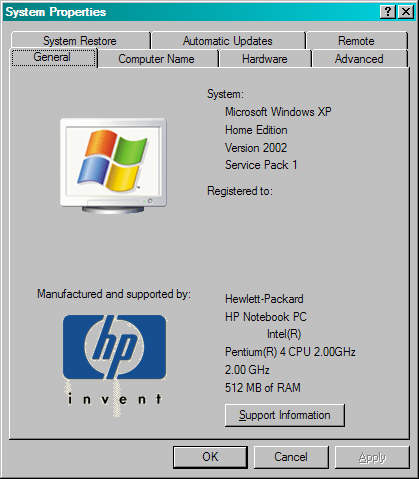
- Double click on 'System'. The Systems Properties window
should appear:
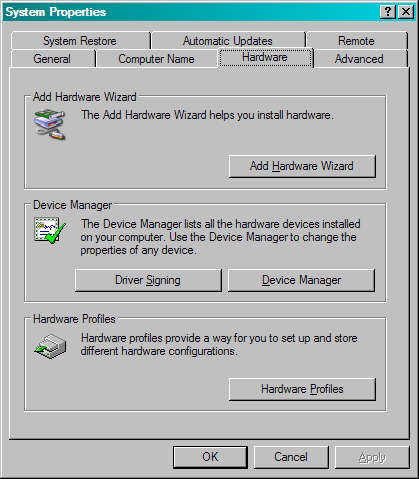
- Click on the Hardware tab. The following will appear:
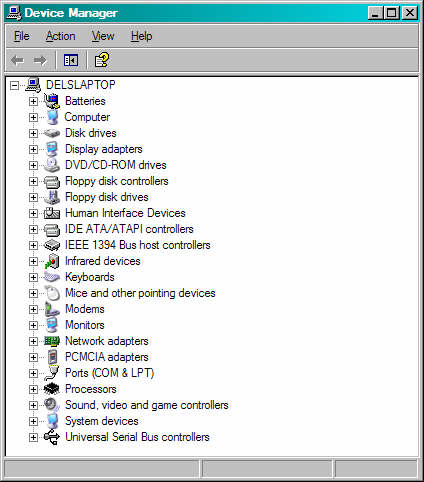
- Click on the Device Manager button near the middle right
of the window. Something similar to the following should appear:
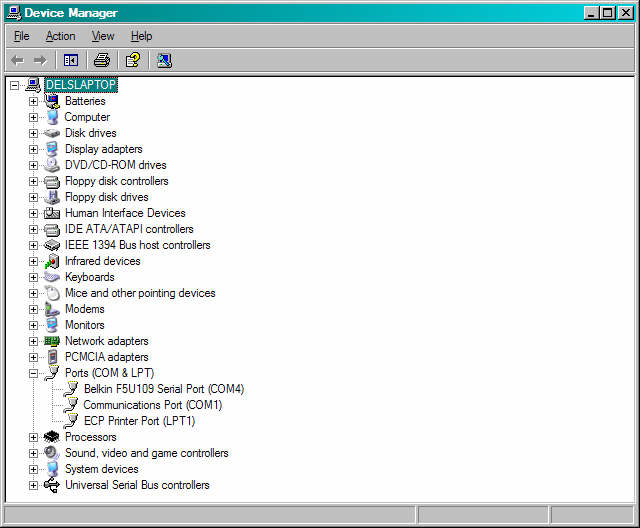
- Click on the + to the left of Ports to expand the
ports list. There should be an entry corresponding to the
brand of USB to Serial converter you have installed. In this
case, it is a Belkin F5U109 USB to Serial Converter:
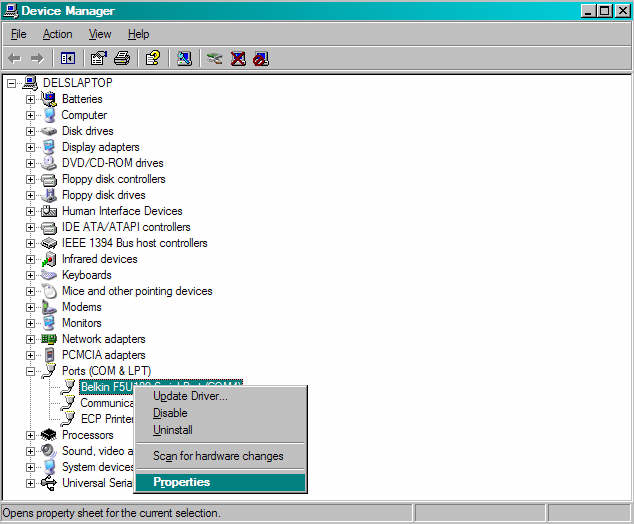
- Right Click on the USB to Serial Converter item. A pop-up
window should appear:
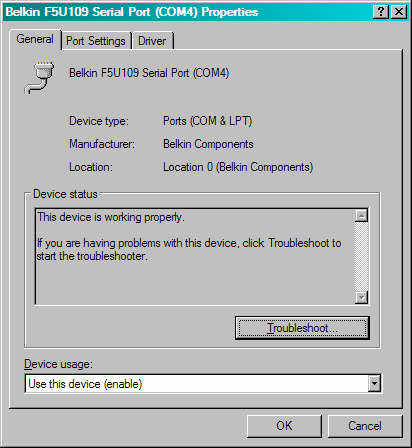
- Left click once on Properties. Something similar to the
following should appear:
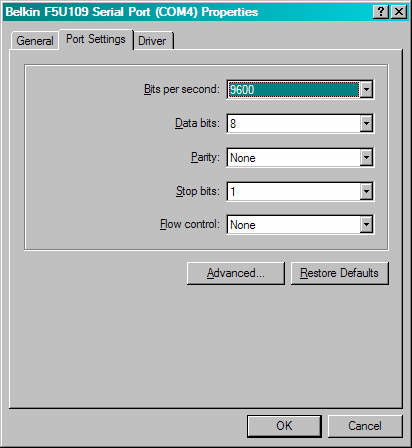
- Click on the 'Port Settings' tab. The following should appear:
| Click the pull-downs and set values as shown: |
|---|
 |
|---|
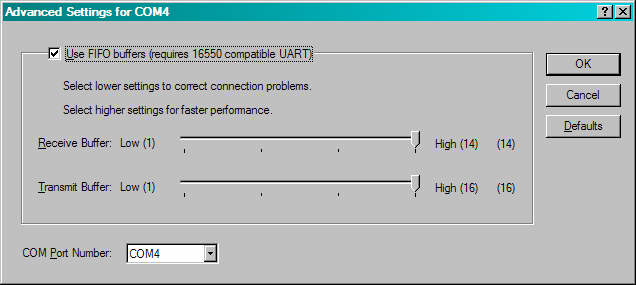
- Click the 'Advanced' button. The following should appear:
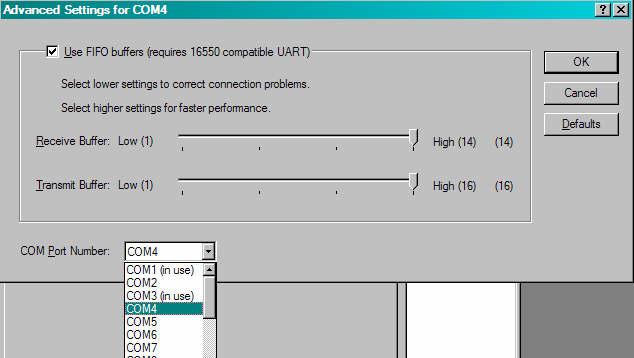
- Click the COM Port Number pull-down. It should drop down
with something similar to the following:
- Click on either COM1 or COM2, whichever one is not in use.
- Next click on the OK button and after that click on OK buttons
or close buttons, as appropriate, to back out of all of the windows just opened.
At this point, the USB to Serial port converter Windows driver
should be set to either COM1 or COM2 and should be ready to
use with the CROPSCAN MSR Software and DLC.
 CROPSCAN, Inc. Home Page
CROPSCAN, Inc.
1932 Viola Heights Lane NE
Rochester, MN 55906 USA
Phone: (507)285-9230
Fax: (206) 339-5770
Email: Cropscan@compuserve.com
URL: http://www.cropscan.com
©2004 CROPSCAN, Inc.
all rights reserved